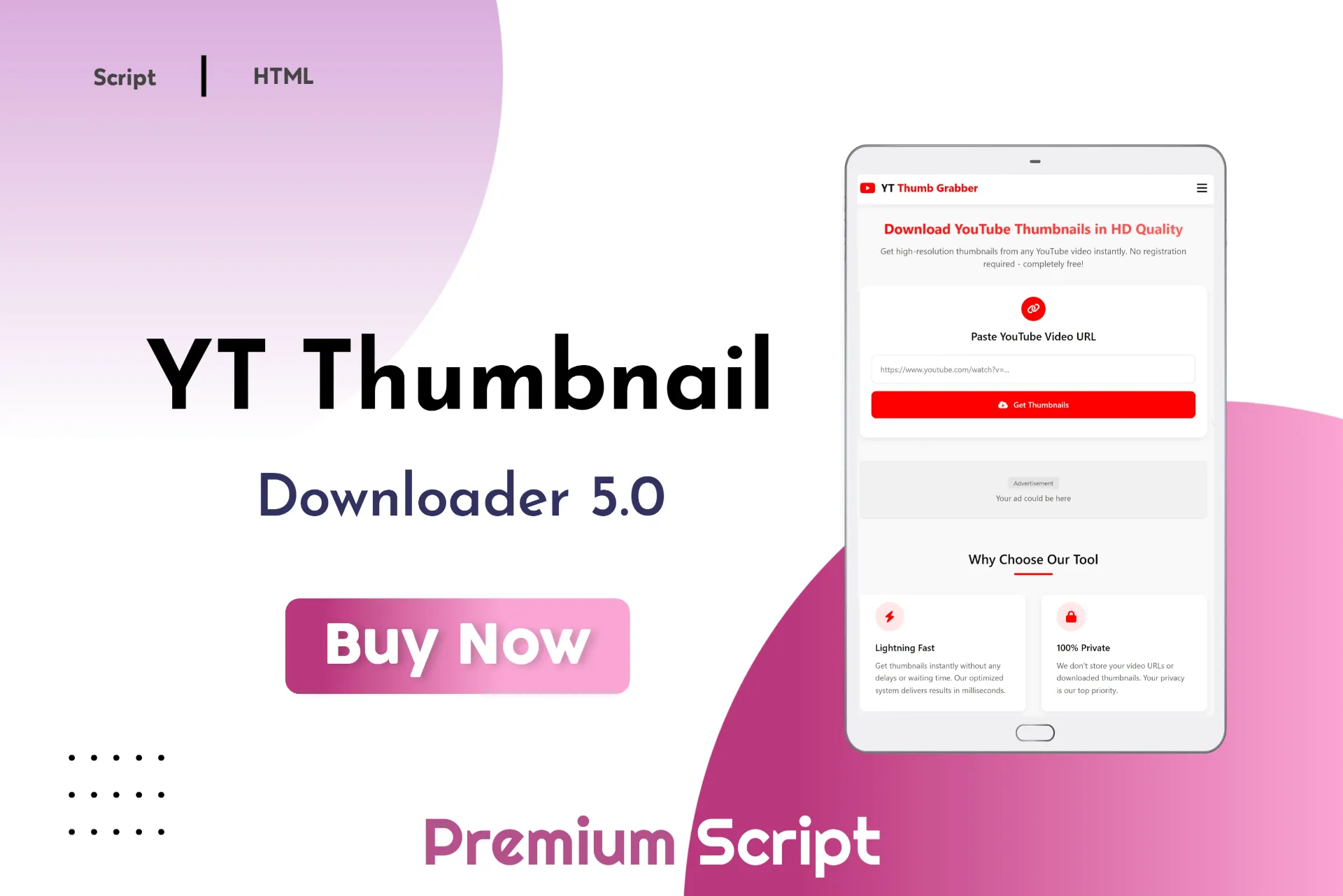
YouTube Thumbnail Downloader 5.0
-
Sleek modern UI with enhanced speed
-
Extracts Ultra-HD, 4K, HQ & SD thumbnails
-
Accurate and improved URL detection
-
Instant thumbnail preview after paste
-
One-click download for all image sizes
-
Fully responsive on all devices
-
No ads, pop-ups, or redirects
-
Optimized PHP + JS backend
-
Works perfectly on cPanel & shared hosting
-
Designed for creators, designers & editors
- Lifetime Access
- 6 Months Support
- Commercial License
- Instant Download
- Regular Updates
- Well Documentation
Description
YouTube Thumbnail Downloader 5.0 – Modern Website Script
Create your own YouTube thumbnail downloading website with YouTube Thumbnail Downloader 5.0, a ready-to-customize web tool built with HTML, CSS, and JavaScript. Designed for content creators, bloggers, marketers, and developers, this script provides a simple way to retrieve available YouTube thumbnail images in different resolutions using a video URL.
🎬 Multiple Thumbnail Resolutions
Visitors can paste a YouTube video link into the input field and click the fetch button to display available thumbnail options. The script generates thumbnail URLs for several quality levels, including maximum resolution, high quality, medium quality, and standard quality. Each result includes its resolution information to help users choose the image that best suits their needs.
⚡ Simple and Convenient Downloads
The interface includes a video URL input, an action button, validation messages, and a dedicated results grid. Visitors can select a thumbnail and use the download control to save the image. If direct downloading fails because of browser or cross-origin restrictions, the script attempts to open the image in a new tab.
🎨 Modern Responsive Design
The website features a YouTube-inspired red color scheme, a clean header, organized content cards, and responsive layouts. A mobile navigation menu, FAQ accordion, feature section, and usage instructions help create a complete and user-friendly website experience across desktop and mobile devices.
💻 Complete Website Source Package
The ZIP package includes index.html, style.css, script.js, a preview image, and supporting About, Contact, Privacy Policy, and Terms of Service pages. You can customize the branding, colors, content, and layout to suit your project.
This script is a useful starting point for building a YouTube thumbnail utility without creating the entire interface from scratch.
Note: Thumbnail availability and resolution depend on the source video. Use downloaded images in accordance with applicable copyright rules and YouTube’s terms.
Key Features
- Generate thumbnail URLs from supported YouTube video links
- Multiple thumbnail quality options, including maximum and high resolution
- Display thumbnail previews in a dedicated results grid
- Download controls with a fallback to opening images in a new tab
- YouTube-inspired red theme with responsive styling
- Mobile navigation menu and interactive FAQ accordion
- Includes HTML, CSS, JavaScript, preview image, and supporting website pages
Installation Guide
- Download the YouTube Thumbnail Downloader 5.0 ZIP file.
- Extract the archive to access index.html, style.css, script.js, Preview.png, and the supporting HTML pages.
- Open index.html in a code editor to review the website structure and functionality.
- Upload the files to your web hosting directory while preserving their relative paths.
- Open the hosted index.html page in a modern browser to test the tool.
- Paste a valid YouTube video URL and click the fetch button to display available thumbnails.
- Test the different thumbnail quality options and download controls.
- Customize the website title, logo, colors, text, and layout to match your branding.
- Update the About, Contact, Privacy Policy, and Terms pages with your own website information.
- Test the navigation menu, FAQ accordion, thumbnail results, and mobile layout before publishing.
Related products
-
 View Details
৳ 553৳ 207 -
 View Details
৳ 415৳ 137 -
 View Details
৳ 830৳ 415 -
 View Details
৳ 415৳ 137

Reviews
There are no reviews yet.