Minimal Countdown Download Timer
-
Fully responsive and lightweight design
-
Automatic countdown display before download button appears
-
Built using pure HTML, CSS, and JavaScript
-
Elegant gradient button with hover animation
-
Easy customization of countdown time and target link
-
Fast-loading and ad-friendly for download pages
-
Works perfectly on both desktop and mobile browsers
-
Simple integration — copy, paste, and customize
- Lifetime Access
- 6 Months Support
- Commercial License
- Instant Download
- Regular Updates
- Well Documentation
Description
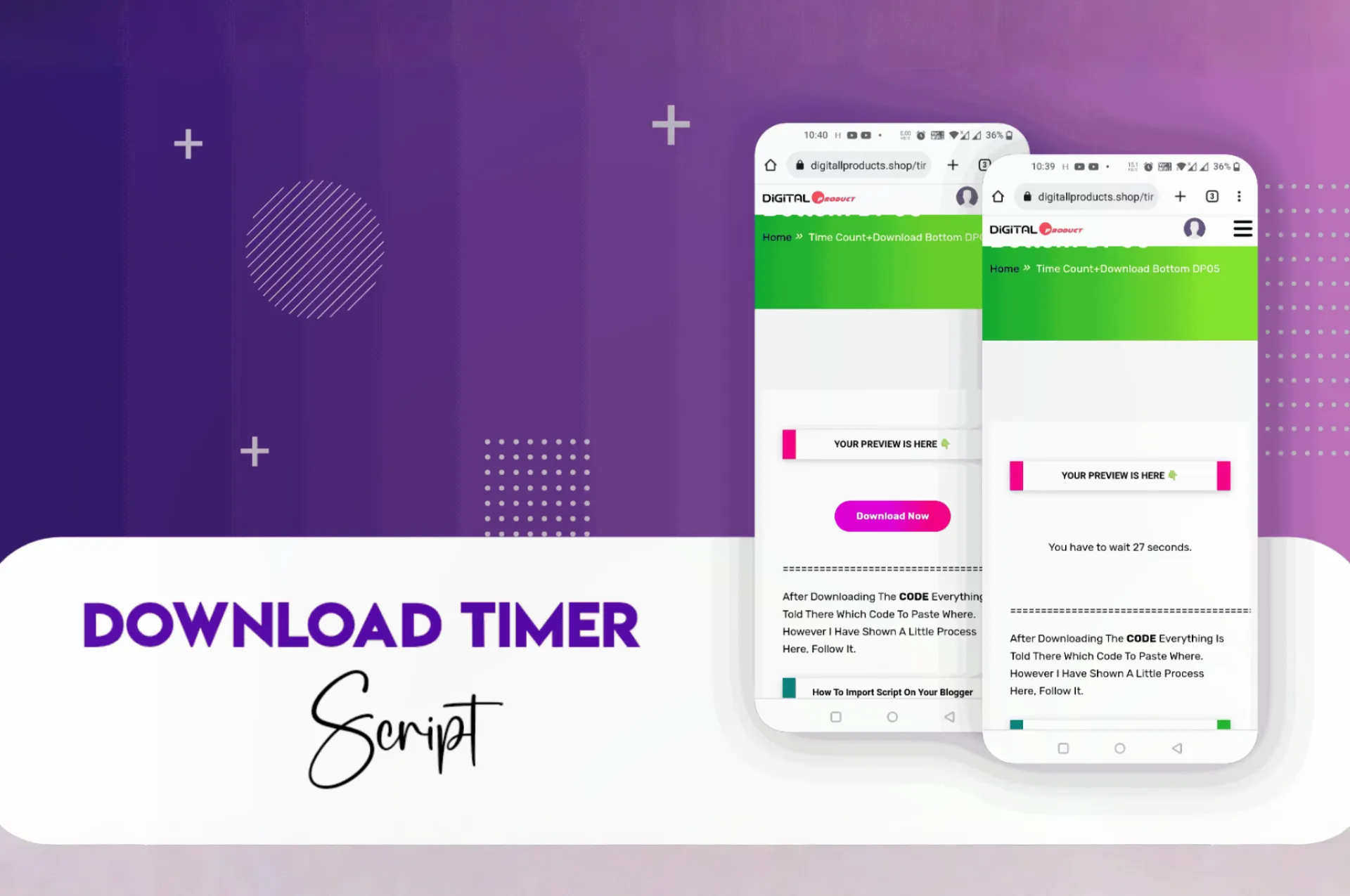
Minimal Countdown Download Timer – Clean Download Button Component
Improve your website’s download experience with the Minimal Countdown Download Timer, a lightweight and easy-to-customize HTML, CSS, and JavaScript component designed for digital product stores, resource websites, and file-sharing platforms. Its minimal layout, vibrant gradient button, and automatic countdown create a simple yet engaging way to present download links without cluttering your page.
⏳ Automatic 30-Second Countdown
When the page loads, visitors see a message informing them that they need to wait 30 seconds. A JavaScript countdown updates the displayed time every second. Once the countdown finishes, the waiting message disappears and the download button becomes visible automatically, creating a clear and straightforward download flow.
🎨 Modern Gradient Download Button
The component features an attractive pill-shaped button with a purple-to-pink gradient, bold white text, and a smooth hover effect. The gradient direction changes when visitors hover over the button, adding a subtle interactive detail while keeping the overall design clean and professional.
📱 Minimal and Lightweight Design
Built with standard HTML, CSS, and JavaScript, this component uses a compact layout that can fit naturally into an existing download page. The Inter font stack provides a modern appearance, while the centered content keeps the waiting message and download button easy to notice. No additional JavaScript library is required by the supplied code.
💻 Simple Customization and Integration
You can change the countdown duration, waiting message, button label, gradient colors, and destination URL to suit your website. Add the component to a compatible page template or custom HTML section to create a dedicated download area for PDFs, ZIP files, templates, presets, and other digital resources.
Whether you run a digital product store or a resource-sharing website, this component offers a practical starting point for a streamlined download interface.
Important: The timer is a front-end delay, not a secure download restriction or verification system. Replace the sample URL with your actual download destination before publishing. JavaScript must be enabled for the countdown behavior to work.
Key Features
- Automatic 30-second countdown with live text updates
- Download button appears automatically when the timer finishes
- Modern purple-to-pink gradient button design
- Pill-shaped button with smooth hover animation
- Minimal, centered layout for download pages
- Customizable countdown, text, colors, and destination URL
- Lightweight HTML, CSS, and JavaScript implementation
Installation Guide
- Download the Minimal Countdown Download Timer code file.
- Back up your website or theme before making changes.
- Open the file in a code editor and identify the CSS, HTML, and JavaScript sections.
- Add the CSS code inside the head section of your page or place it in your theme’s stylesheet.
- Insert the HTML markup into the download page where you want the countdown message and button to appear.
- Add the JavaScript code before the closing body tag, ensuring the countdown and download link elements exist on the page.
- Replace the sample download URL with your actual destination and customize the button label and waiting message.
- Change the countdown value and gradient colors if needed to match your website design.
- Save your changes and test the countdown, button visibility, hover effect, and download link on desktop and mobile devices.
Related products
-
 View Details
৳ 137৳ 68 -
 View Details
৳ 137৳ 68 -
 View Details
৳ 137৳ 68 -
 View Details
৳ 137৳ 68

Reviews
There are no reviews yet.