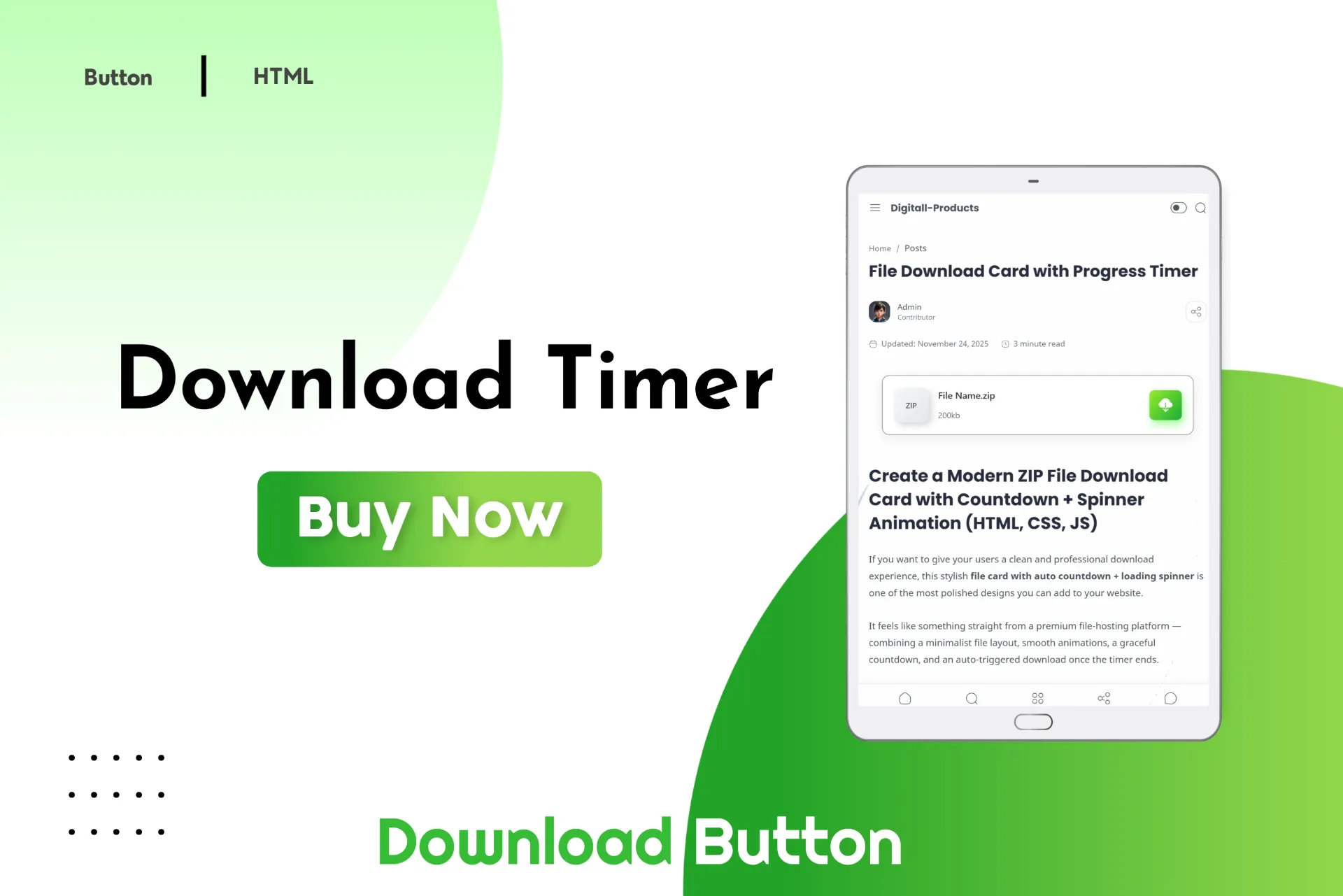
File Download Card with Progress Timer
-
Fully responsive design built with HTML, CSS, and JavaScript
-
Displays file type, size, and name in a modern card layout
-
Countdown timer before automatic file download
-
Interactive button with spinner animation during processing
-
Clean neumorphic and gradient design for a premium look
-
Lightweight and framework-free implementation
-
Easy customization for file name, link, and countdown time
-
Works on all major browsers and mobile devices
-
Ideal for digital product, document, or software download pages
- Lifetime Access
- 6 Months Support
- Commercial License
- Instant Download
- Regular Updates
- Well Documentation
Description
Modern Download Button Pack – File Download Card with Progress Timer
Enhance your website’s download experience with the Modern Download Button Pack, a stylish and customizable HTML, CSS, and JavaScript component designed for digital product stores, resource websites, and file-sharing platforms. Its clean file information card, animated download button, and countdown effect create a professional interface that helps visitors understand what they are downloading while adding an interactive touch to the process.
📁 Clean and Professional File Information Card
Display essential file details in a compact, modern card featuring a file-type badge, filename, file size, and download button. The rounded corners, subtle border, soft shadow, and balanced spacing give the component a polished appearance. You can customize the file extension, filename, and displayed size to match your downloadable resources.
⏳ Animated Download Countdown
When a visitor clicks the download button, the button displays a rotating loading spinner while a 30-second countdown runs. The filename area updates with a preparation message and the remaining seconds. Once the countdown finishes, the visitor is redirected to the configured download destination.
🎨 Attractive Button Effects
The download button features a green gradient, a download icon, smooth hover transitions, and a color-changing hover effect. During the countdown, the icon is replaced by an animated spinner, providing visual feedback while the download is being prepared.
📱 Responsive and Easy to Customize
Built with standard HTML, CSS, and JavaScript, the component adjusts its spacing, typography, and sizing for smaller screens. You can customize the colors, file details, button appearance, countdown duration, and destination URL to suit your website branding.
This component is suitable for digital downloads, templates, presets, ZIP archives, documents, and other downloadable resources.
Important: The countdown is a front-end delay, not secure file protection or download verification. Replace the sample destination URL with your actual download link before publishing.
Key Features
- Modern file information card with a clean, compact layout
- Customizable file-type badge, filename, and displayed file size
- 30-second countdown triggered by clicking the download button
- Animated spinner and live countdown message
- Gradient download button with smooth hover effects
- Responsive styling for mobile and desktop screens
- Easy-to-edit HTML, CSS, and JavaScript code
Installation Guide
- Download the Modern Download Button Pack code file.
- Back up your website or theme before making any changes.
- Open the file in a code editor and locate the CSS, HTML, and JavaScript sections.
- Add the CSS code inside the head section of your page or move it into your theme’s stylesheet.
- Insert the HTML file card markup into the page or template where you want the download card to appear.
- Add the JavaScript code before the closing body tag, ensuring the card elements exist before the script runs.
- Replace the sample destination URL with your actual download link and update the filename, file extension, and file size.
- Adjust the countdown duration, button colors, and styling to match your website.
- Save your changes and test the button, countdown, redirect behavior, and mobile layout before publishing.
Related products
-
 View Details
₹99.00₹49.00 -
 View Details
₹99.00₹49.00 -
 View Details
₹99.00₹49.00 -
 View Details
₹99.00₹49.00

Reviews
There are no reviews yet.