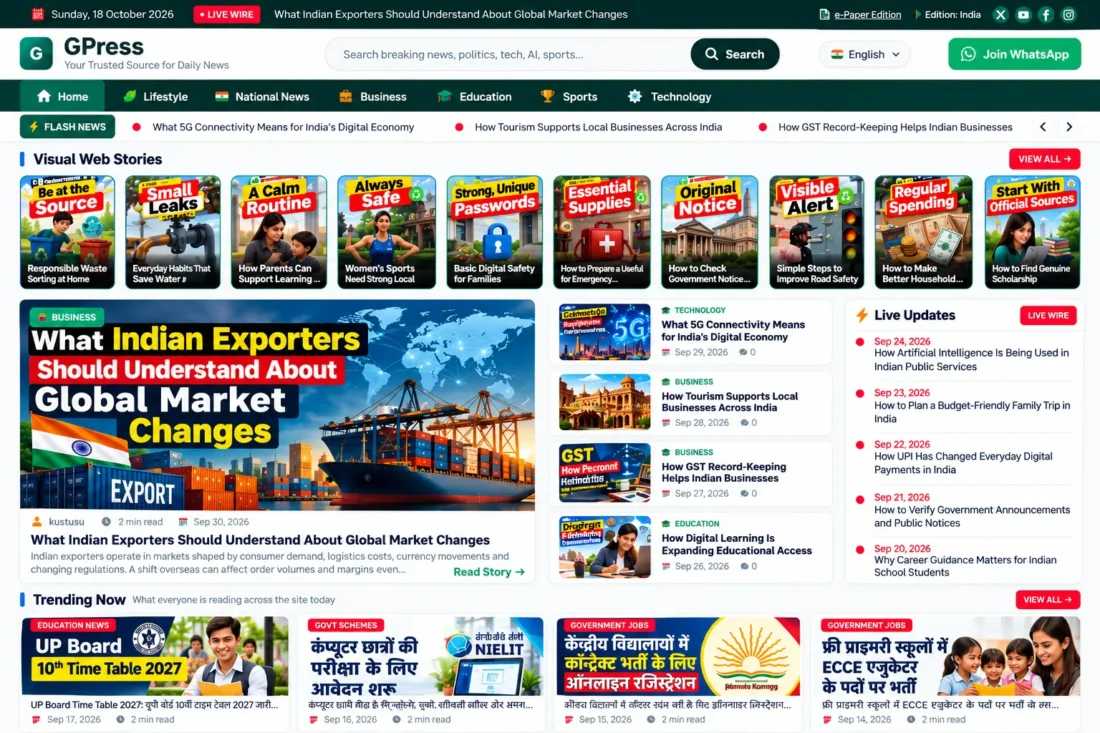
GPress WordPress Theme- Professional News & Magazine Website
- Modern WordPress theme for news websites
- Live ticker and trending news sections
- Built-in Web Stories with full-screen viewer
- Automatic table of contents for articles
- Multiple configurable advertising placements
- Customizable colors, typography, and navigation
- Lifetime Access
- 6 Months Support
- Commercial License
- Instant Download
- Regular Updates
- Well Documentation
Description
Build a Modern News Website
Create a professional online publication with GPress, a modern WordPress theme designed for news portals, digital magazines, and editorial blogs. Its dark teal color palette, clean typography, and structured news layouts help publishers present breaking news, trending stories, and category-based articles in an engaging format.
Dynamic Homepage and News Navigation
GPress features a live ticker topbar, sticky category navigation, a hero news grid, trending and live news columns, and dedicated news desk sections. Customize homepage labels, colors, ticker speed, content counts, and featured sections through Appearance → Customize. These options help you adapt the layout to your publication’s content and branding.
Built-In Web Stories System
Publish visual stories using the dedicated Web Stories system, which includes a separate Stories menu, a /web-stories/ archive, story-specific pages, and a full-screen story viewer. This gives publishers a dedicated way to present visual content alongside traditional news articles.
Enhanced Articles and Advertising
Improve article navigation with an automatic table of contents, reading-time estimates, share buttons, author information, related stories, and view tracking. GPress also includes configurable advertising placements for the header, homepage, article content, sidebar, and footer. You can customize supported ad code and placement settings for your website.
Customization and Responsive Design
Personalize the theme’s colors, logo, typography, social links, WhatsApp channel links, navigation menus, and footer content. The mobile drawer menu supports smaller screens, while dedicated archive, search, single-post, and 404 templates provide a consistent browsing experience.
GPress is a practical choice for publishers who want a customizable WordPress news website with integrated Web Stories, editorial tools, and advertising options in one theme.
Key Features
- Modern WordPress news and magazine website design
- Live news ticker with sticky category navigation
- Homepage hero grid with trending and live news
- Built-in Web Stories archive and full-screen viewer
- Automatic table of contents and reading-time estimates
- Configurable advertising placements across website sections
- Customizable colors, typography, menus, and footer
Installation Guide
- Download the `gpress.zip` theme file to your computer.
- Log in to your WordPress Dashboard and navigate to Appearance → Themes → Add New Theme → Upload Theme.
- Click Choose File, select `gpress.zip`, and click Install Now.
- After installation finishes, click Activate to enable the GPress theme.
- Navigate to Settings → Permalinks, select a structure such as Post name, and click Save Changes to refresh WordPress URLs.
- Go to Appearance → Customize to configure the theme colors, logo, typography, ticker settings, social links, WhatsApp channel, and footer content.
- Open Appearance → Menus to create your primary navigation menu and assign it to the Primary Navigation location. Configure the available footer menu locations as needed.
- Use the Customizer's homepage and news section settings to configure the ticker, Visual Web Stories, Live Updates, Trending Now, and other available sections.
- Create your news categories under Posts → Categories and assign each article to the appropriate category.
- Navigate to Posts → Add New Post to publish articles. Add a title, article content, featured image, and category before publishing.
- To publish visual stories, open Stories in the WordPress Dashboard and create a new story using the available story editor.
- Open Appearance → Customize and review the advertising settings. Replace the default sample ad content with your own approved ad code before displaying advertisements.
- Visit the homepage, individual articles, category archives, search results, and `/web-stories/` archive to verify the layout and navigation.
- Test the mobile drawer menu, ticker, story viewer, table of contents, sharing buttons, and advertising placements on desktop and mobile devices before launching your website.
Related products
-
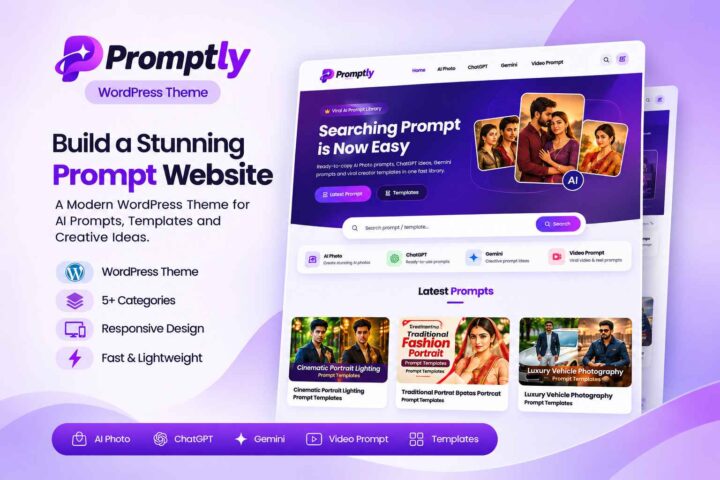 View Details
৳ 3,603৳ 622 -
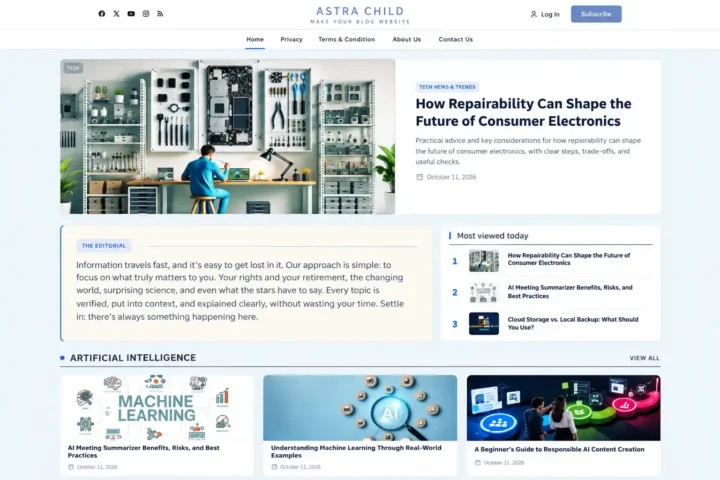 View Details
৳ 3,603৳ 1,385 -
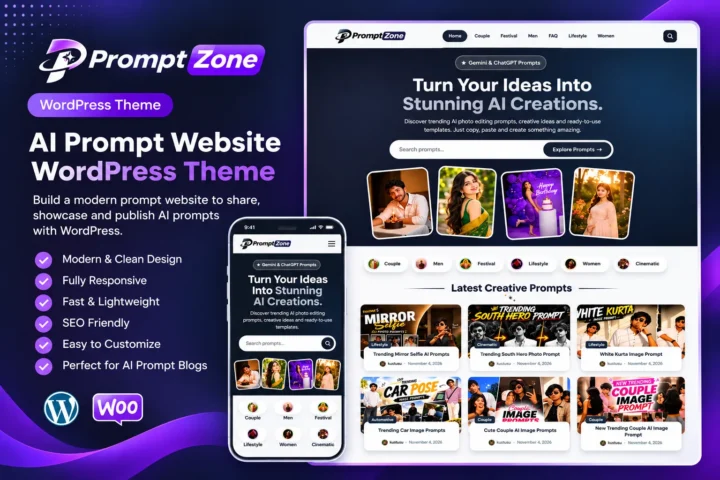 View Details
৳ 3,603৳ 622 -
 View Details
৳ 3,603৳ 622

Reviews
There are no reviews yet.