Direct-Thumbnail-Downloader
-
Instantly fetches all available YouTube thumbnail resolutions
-
Supports Max, HD, SD, MQ, and Default thumbnail variants
-
Works with standard links, short links, and YouTube Shorts URLs
-
Click any thumbnail to download it instantly as a JPG image
-
Smart URL detection with automatic video ID extraction
-
Includes clipboard paste support for faster input
-
Smooth interactive gallery with hover and focus animations
-
Fully keyboard accessible (Enter/Space to download)
-
Responsive modern UI optimized for mobile devices
-
Error handling with helpful status messages
-
Lightweight vanilla JavaScript — no libraries required
-
Minimal, clean, dark-theme interface for better viewing
- Lifetime Access
- 6 Months Support
- Commercial License
- Instant Download
- Regular Updates
- Well Documentation
Description
YouTube Thumbnail Gallery Downloader – Modern Online Utility Tool
Enhance your website with the YouTube Thumbnail Gallery Downloader, a ready-to-customize HTML, CSS, and JavaScript tool designed for content creators, bloggers, and online utility platforms. Its modern dark interface, attractive thumbnail cards, and simple URL-based workflow help visitors retrieve available thumbnail images from supported YouTube video links.
🎬 Five Thumbnail Resolution Options
The tool displays five thumbnail variants: Max Resolution, SD, HQ, MQ, and Default. Each option appears in a dedicated card with a preview image, quality label, and thumbnail filename format. Visitors can compare the available options and select the image that best fits their content creation or design requirements.
⚡ Quick Fetching and Image Downloads
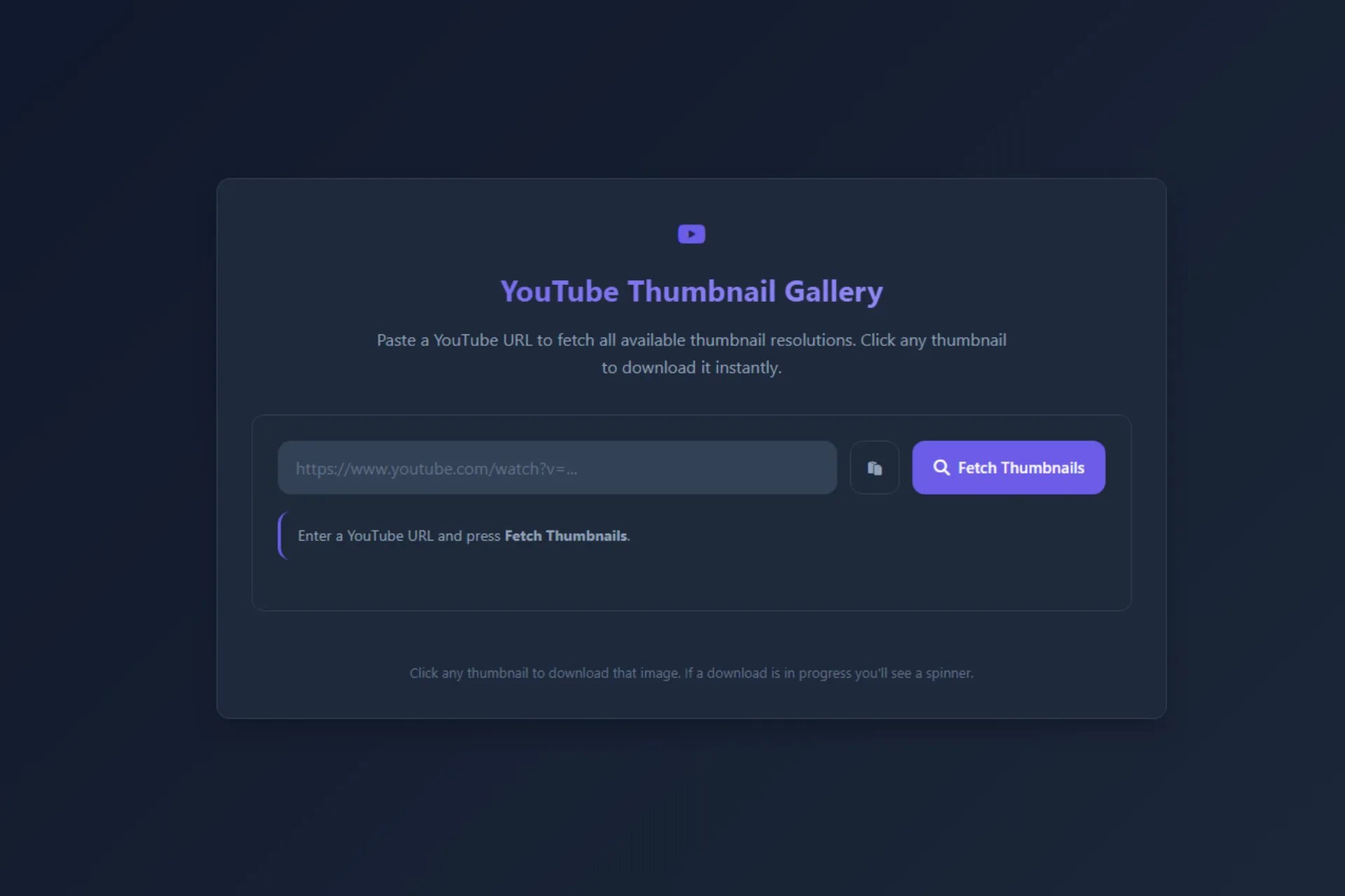
Visitors can paste a YouTube URL into the input field and click Fetch Thumbnails to generate the gallery. The tool supports standard YouTube watch links, shortened youtu.be URLs, and YouTube Shorts links. A clipboard paste button and Enter-key support make the workflow convenient. Clicking a thumbnail attempts to download the selected image as a JPG file, while status messages and loading indicators provide feedback.
🎨 Modern Dark Interface
The design features a dark slate background, purple accent colors, rounded cards, subtle shadows, and smooth hover animations. The responsive thumbnail grid adapts to different screen sizes, providing a clean interface across desktop and mobile devices.
💻 Easy Customization and Integration
Built with standard HTML, CSS, and JavaScript, this standalone HTML page can be customized with your own branding, colors, typography, and layout. It also uses Font Awesome icons loaded through a CDN. The tool is suitable for creator websites, blogging resources, and online utility collections.
Important: Thumbnail availability depends on the video, and browser cross-origin restrictions may prevent some direct downloads. Use downloaded images only when you have the appropriate rights or permission.
Key Features
- Five thumbnail options: Max Resolution, SD, HQ, MQ, and Default
- Supports YouTube watch links, youtu.be URLs, and Shorts links
- Clipboard paste button and Enter-key URL submission
- Thumbnail gallery with individual preview cards and labels
- One-click JPG download attempts with loading indicators
- Responsive dark UI with purple accents and hover effects
- Customizable standalone HTML, CSS, and JavaScript source code
Installation Guide
- Download the YouTube Thumbnail Gallery Downloader HTML file.
- Back up your website or create a test page before installation.
- Open the HTML file in a code editor to review its CSS, HTML, and JavaScript sections.
- Upload the file to your web hosting account or copy its contents into a compatible custom HTML page.
- Keep the Font Awesome CDN stylesheet link in the head section to retain the supplied icons.
- Customize the page title, heading, colors, typography, and layout to match your website branding.
- Open the page in a browser and test it with valid YouTube watch, youtu.be, and supported Shorts URLs.
- Check that thumbnail previews load and test the download options in your target browsers.
- Publish the page after confirming the layout, clipboard button, and download behavior work as expected.
Related products
-
 View Details
₹349.00₹149.00 -
 View Details
₹399.00₹149.00 -
 View Details
₹299.00₹99.00 -
 View Details
₹399.00₹149.00
Reviews
There are no reviews yet.