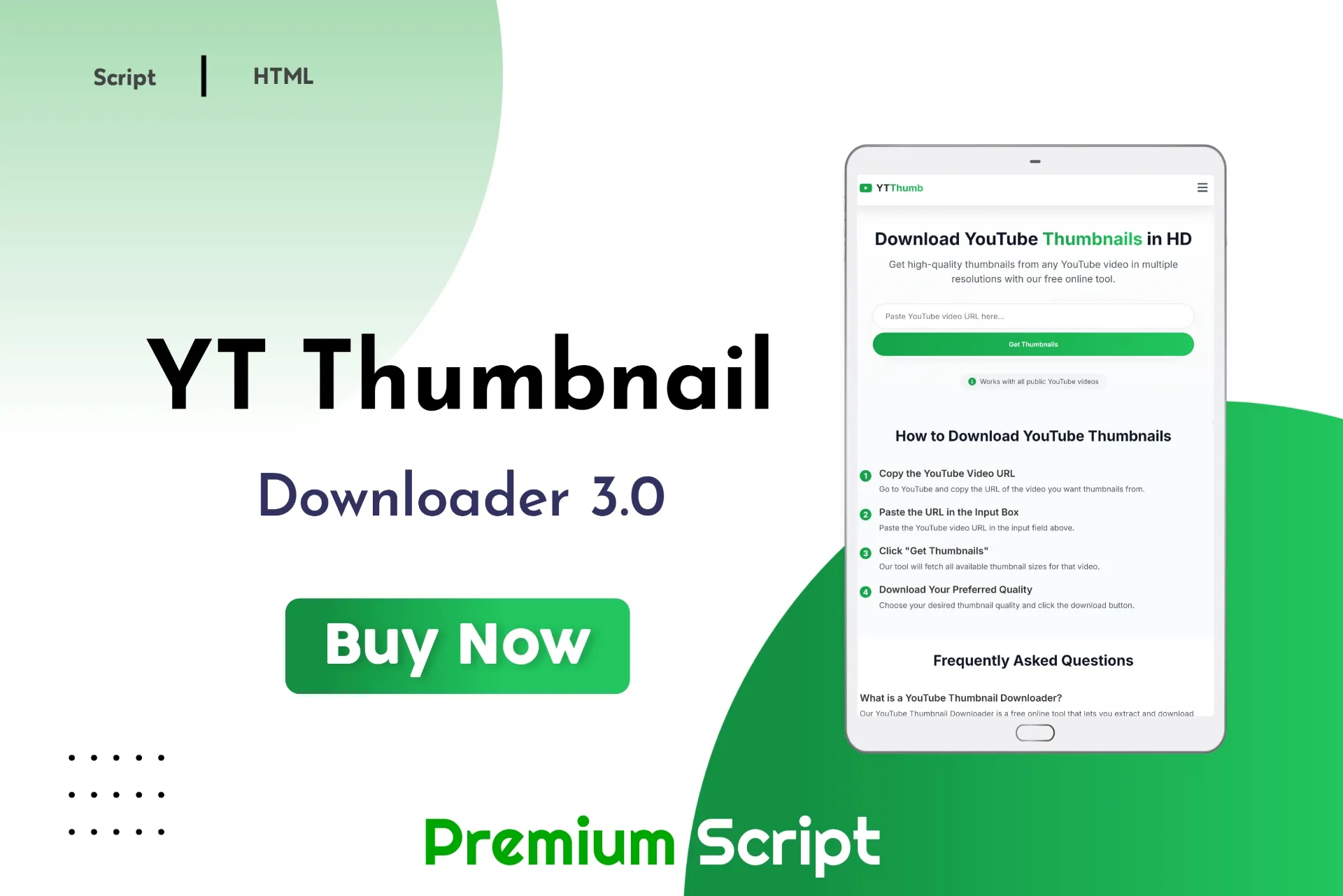
YouTube Thumbnail Downloader 3.0
-
Modern responsive layout with faster performance
-
Extracts Ultra HD, HQ, SD & max-resolution thumbnails
-
Instant preview after pasting the URL
-
One-click download for all sizes
-
Cleaner and more accurate link detection
-
Mobile-first design with smooth UI
-
Zero ads, pop-ups, or redirects
-
Lightweight PHP + JS backend
-
Works on all hosting, including cPanel
-
Ideal for designers, editors & creators
- Lifetime Access
- 6 Months Support
- Commercial License
- Instant Download
- Regular Updates
- Well Documentation
Description
YouTube Thumbnail Downloader 3.0 – Modern Website Script
Build your own YouTube thumbnail downloading website with YouTube Thumbnail Downloader 3.0, a ready-to-customize website template designed to help visitors retrieve thumbnail images from public YouTube videos. Featuring a clean interface, multiple thumbnail quality options, responsive layouts, and convenient download buttons, this package is an excellent starting point for developers, bloggers, and digital entrepreneurs creating online utility websites.
🎬 Download Thumbnails in Multiple Resolutions
Visitors simply paste a YouTube video URL into the input field and click Get Thumbnails. The script extracts the video ID and displays available thumbnail images in several sizes, including 1280 × 720 HD, 480 × 360 medium quality, 320 × 180 low quality, and smaller thumbnail variations. Each result includes a download button for convenient access.
⚡ Fast and Interactive User Experience
The tool includes a processing indicator, automatic scrolling to the results section, and helpful error notifications for empty or unsupported URLs. Visitors can also press Enter to submit a video link, making the workflow simple and convenient.
🎨 Modern Responsive Website Design
The template features a green-accented design, gradient buttons, thumbnail preview cards, and a responsive navigation menu. Additional sections explain how the tool works and answer frequently asked questions. The layout adapts to desktop and mobile screens for a consistent browsing experience.
💻 Complete Website Package
The ZIP file includes the main index.html page, a preview image, and supporting About, Contact, and Privacy Policy pages. You can customize the website branding, colors, content, navigation links, and styling to match your project.
This script is suitable for creating a thumbnail utility website or adding a practical resource to an existing web project.
Note: Thumbnail availability depends on YouTube’s image endpoints; some resolutions may not exist for every video. Review download behavior, external resource dependencies, and applicable usage permissions before publishing.
Key Features
- Extract thumbnail images from supported YouTube video URLs
- Display HD, medium, low, and small thumbnail variations
- Individual download buttons for available thumbnail sizes
- Automatic scrolling to the thumbnail results section
- Loading indicator and helpful error notifications
- Responsive layout with mobile navigation and FAQ content
- Includes HTML source and supporting About, Contact, and Privacy pages
Installation Guide
- Download the YouTube Thumbnail Downloader 3.0 ZIP file.
- Extract the archive to access index.html, Preview.png, and the supporting HTML pages.
- Upload the extracted files to your web hosting directory while preserving the original file structure.
- Open index.html in a code editor to review the HTML, CSS, and JavaScript.
- Customize the website title, logo text, colors, descriptions, and navigation links.
- Open the website in a browser and paste a public YouTube video URL into the input field.
- Click Get Thumbnails and test the available image previews and download buttons.
- Check the Enter key submission, loading indicator, error notifications, and automatic scrolling behavior.
- Test several videos to confirm which thumbnail resolutions are available.
- Update the About, Contact, and Privacy Policy pages with your own website information.
- Test the layout on desktop and mobile devices before publishing.
Related products
-
 View Details
$5.67$1.69 -
 View Details
$3.40$1.13 -
 View Details
$3.40$1.13 -
 View Details
$6.81$3.40

Reviews
There are no reviews yet.