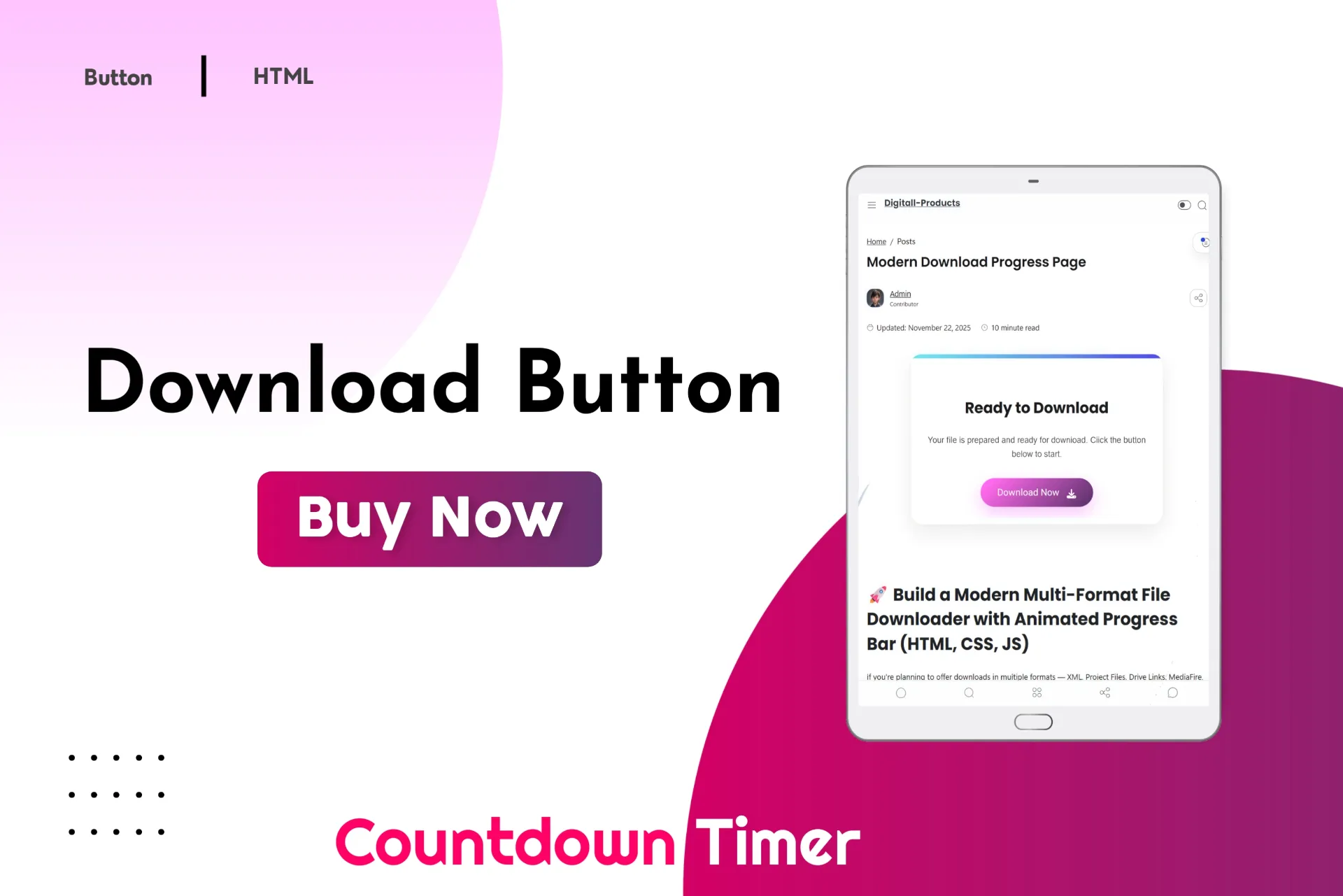
Modern Download Progress Page
-
Fully responsive modern card design
-
Built with HTML, CSS, and vanilla JavaScript
-
Interactive progress bar with percentage updates
-
Animated success completion state
-
Dual action buttons: Open File & Open Folder
-
Easy to customize gradient themes via CSS variables
-
Lightweight and fast-loading design
-
Works seamlessly across all major browsers
- Lifetime Access
- 6 Months Support
- Commercial License
- Instant Download
- Regular Updates
- Well Documentation
Description
Modern Download Progress Page – Animated Download UI Template
Enhance your website’s download experience with the Modern Download Progress Page, a stylish HTML, CSS, and JavaScript component designed to create an interactive download interface. Featuring a modern card layout, animated progress bar, percentage indicator, and completion screen, this template gives your download page a polished and professional appearance.
Ideal for digital product stores, software download websites, resource-sharing platforms, and WordPress blogs, this component helps present a clear visual process when visitors click the download button.
🎨 Clean and Modern Download Card
The template features a centered download card with rounded corners, subtle shadows, attractive gradient colors, and a prominent call-to-action button. Its clean typography and organized layout help create a professional user interface that fits a variety of website designs.
📊 Animated Progress Bar and Percentage
When visitors click the download button, the interface displays an animated progress bar with a percentage indicator. The status message changes as the animation progresses, showing messages such as “Downloading,” “Almost there,” and “Finishing up.” The default progress animation runs for approximately 30 seconds.
✅ Interactive Completion Screen
After the progress animation finishes, the interface displays a completion message with a success icon and two action buttons: Open File and Open Folder. You can customize these buttons to direct visitors to your desired file or resource locations.
💻 Easy Customization and Integration
Built with HTML, CSS, and JavaScript, this component allows you to customize colors, text, button labels, links, and visual styling. It uses Bootstrap and Font Awesome for selected interface elements, so the corresponding external libraries must be available for the intended appearance.
Important: The progress bar is a simulated timer, not a real file-download tracker. Configure the destination links and test the complete user flow before publishing.
Key Features
- Modern download card with gradient styling
- Animated progress bar with percentage indicator
- Dynamic download status messages
- Interactive completion screen with success icon
- Customizable Open File and Open Folder buttons
- Responsive layout for desktop and mobile devices
- HTML, CSS, and JavaScript with Bootstrap and Font Awesome support
Installation Guide
- 1. Download the provided HTML, CSS, and JavaScript code.
- 2. Add the CSS code inside your page header or custom stylesheet.
- 3. Include the required Bootstrap and Font Awesome stylesheets.
- 4. Paste the HTML code into your desired download page section.
- 5. Add the JavaScript code before the closing `` tag.
- 6. Replace the sample URLs with your actual file or folder links.
- 7. Customize the text, colors, and progress timer as needed.
- 8. Save your changes and test the complete interface on desktop and mobile devices.
Related products
-
 View Details
৳ 137৳ 68 -
 View Details
৳ 137৳ 68 -
 View Details
৳ 137৳ 68 -
 View Details
৳ 137৳ 68

Reviews
There are no reviews yet.