Animated Download Progress Bar
-
Fully responsive and lightweight HTML + CSS + JS design
-
Animated progress bar with smooth percentage updates
-
Auto-reveal download button after progress completion
-
Gradient-based progress bar and button for modern aesthetics
-
No dependencies or external libraries required
-
Easy to integrate and customize (color, timing, labels)
-
Perfect for pre-download loading screens or content unlockers
-
Works seamlessly on mobile and desktop browsers
- Lifetime Access
- 6 Months Support
- Commercial License
- Instant Download
- Regular Updates
- Well Documentation
Description
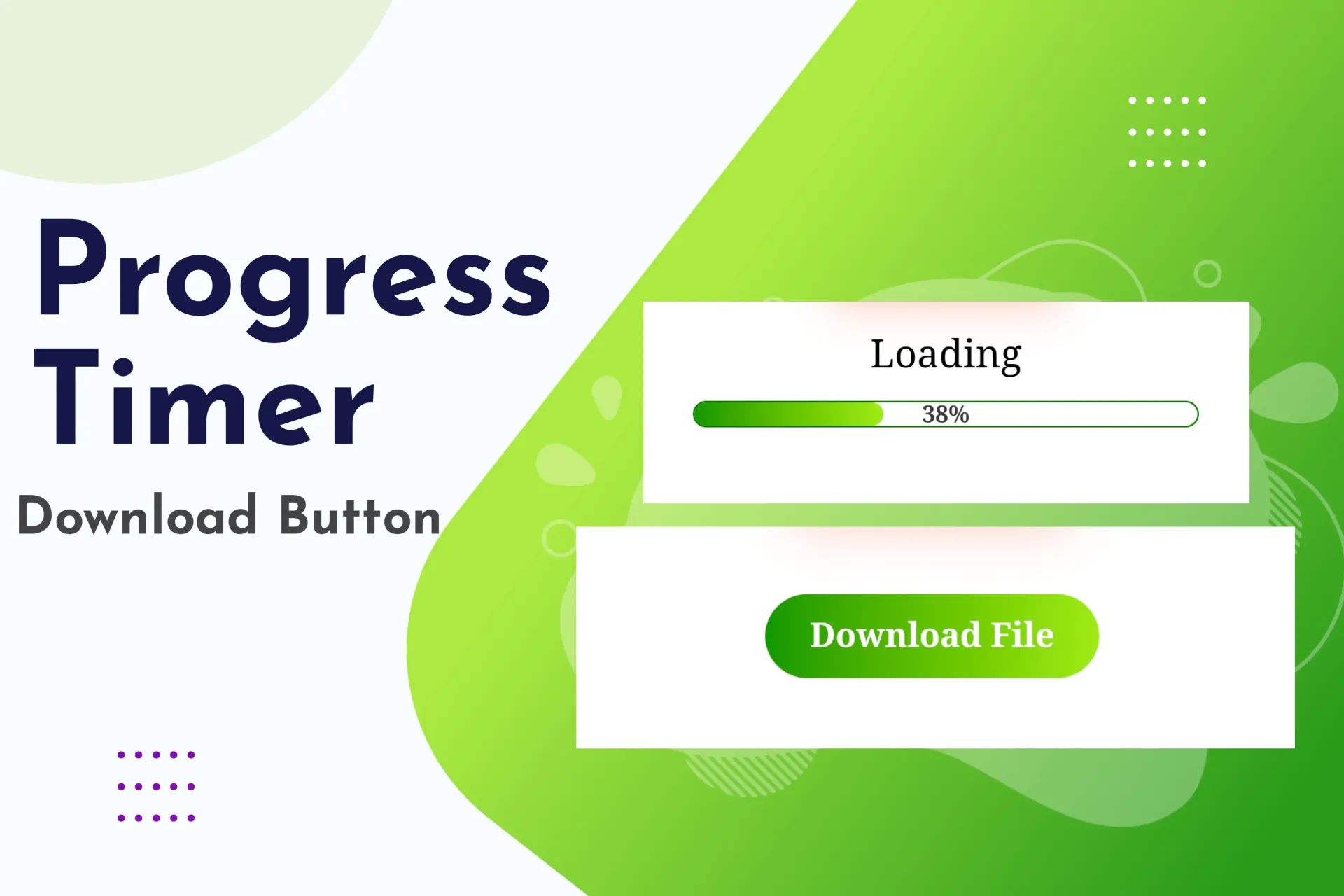
Animated Download Progress Bar – Green Gradient Download Button
Enhance your website’s download page with the Animated Download Progress Bar, a clean and modern HTML, CSS, and JavaScript component designed for digital product stores, resource websites, and file-sharing platforms. Featuring a smooth green gradient progress bar, a live percentage counter, and an attractive download button, this component creates an engaging loading experience before revealing the download link.
🎨 Smooth Green Gradient Progress Bar
The component features a rounded progress bar with a vibrant green gradient that transitions from dark green to light green. A percentage indicator appears in the center, displaying the loading progress from 0% to 100%. The clean layout, subtle border, and centered alignment give your download page a professional appearance.
⏳ Automatic 30-Second Animation
When the page loads, the progress animation starts automatically. The bar gradually fills while the percentage counter updates in real time. Once the animation reaches 100%, the loading text and progress bar disappear, revealing the download button. The animation uses JavaScript’s requestAnimationFrame for smooth visual updates.
🔗 Modern Download Button
After the progress animation completes, visitors see a rounded green gradient button labeled “Download File.” The button includes a smooth hover effect, slight scaling animation, and subtle shadow to make it more interactive. You can replace the sample URL with your actual downloadable file or resource link.
💻 Easy Customization and Integration
Built with standard HTML, CSS, and JavaScript, this component can be integrated into a compatible website page or template without an additional JavaScript library. Customize the progress colors, loading text, animation duration, button label, and destination URL to match your website branding.
Ideal for WordPress themes, website templates, PHP scripts, presets, documents, and other digital downloads, this component offers a simple way to improve the appearance of your download page.
Important: The progress bar is a visual timer, not a real file transfer indicator or secure download restriction. Replace the sample URL before publishing.
Key Features
- Smooth green gradient progress bar with rounded corners
- Live percentage counter from 0% to 100%
- Automatic 30-second loading animation
- Download button appears after the animation completes
- Modern gradient button with hover and scaling effects
- Customizable colors, text, duration, and download URL
- Lightweight HTML, CSS, and JavaScript implementation
Installation Guide
- Download the Animated Download Progress Bar code file.
- Back up your website or theme before making changes.
- Open the code file in a code editor and locate the CSS, HTML, and JavaScript sections.
- Add the CSS code inside the head section of your page or move it into your theme’s stylesheet.
- Insert the HTML progress-bar component into the download page where you want the loading animation and button to appear.
- Add the JavaScript code before the closing body tag, ensuring the required HTML elements are present on the page.
- Replace the sample download URL with your actual destination and update the button label if needed.
- Change the duration value in the JavaScript to adjust the animation time, and customize the colors to match your website.
- Save your changes and test the progress animation, percentage counter, and download button on desktop and mobile devices.
Related products
-
 View Details
৳ 137৳ 68 -
 View Details
৳ 137৳ 68 -
 View Details
৳ 137৳ 68 -
 View Details
৳ 137৳ 68

Reviews
There are no reviews yet.