IP Health Checker
-
Multi-source IP reputation scanning
-
Scam, fraud & risk score detection
-
VPN, proxy & Tor identification
-
Real-time IP fingerprint analysis
-
Blacklist & threat monitoring
-
Compare multiple IP results instantly
-
Fast, lightweight & mobile-friendly
-
No signup or installation required
- Lifetime Access
- 6 Months Support
- Commercial License
- Instant Download
- Regular Updates
- Well Documentation
Description
IP Health Checker – IP Address Reputation & Privacy Checker Website
Build an IP Checking Utility Website
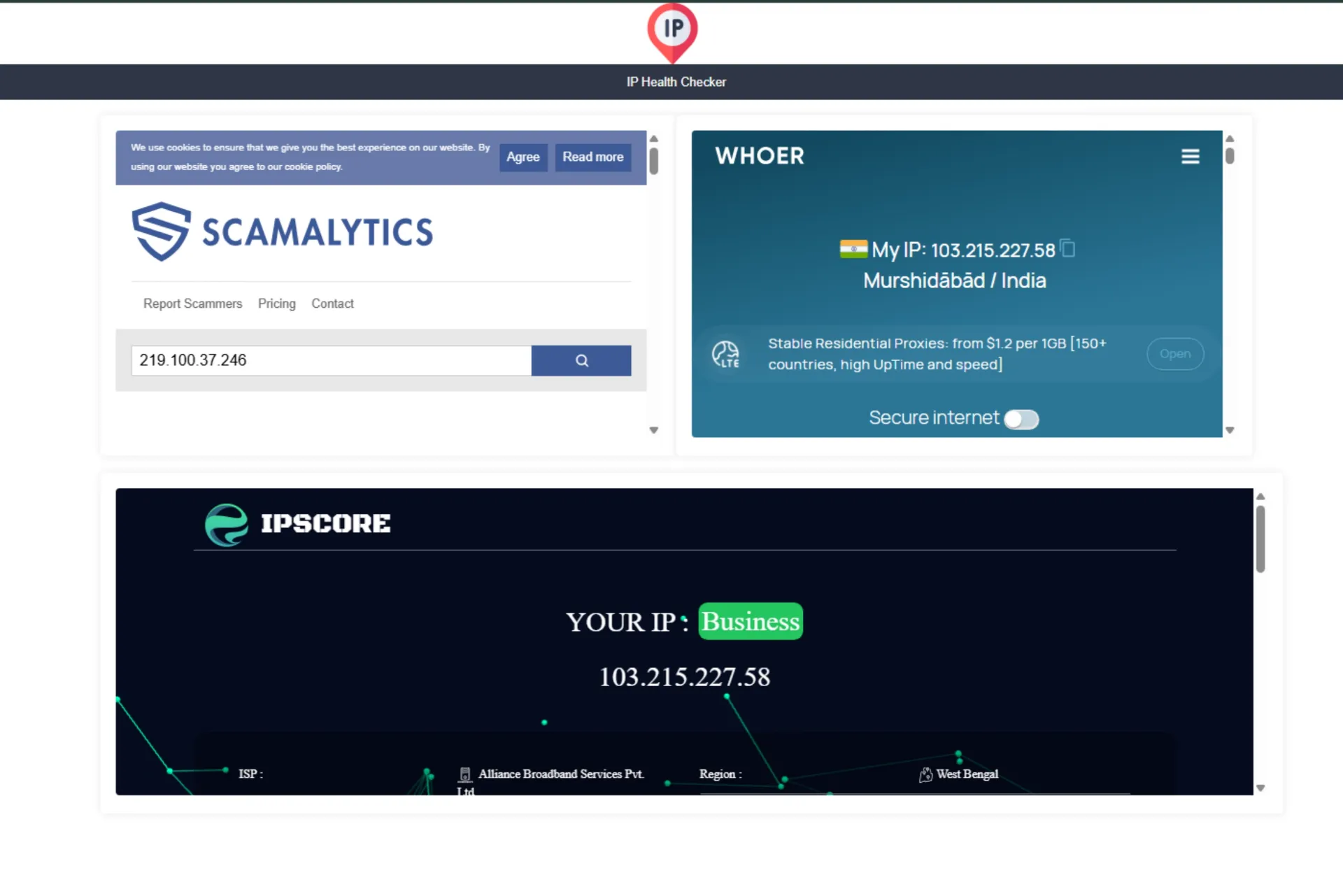
Launch a useful online IP checking website with IP Health Checker, a lightweight HTML, CSS, and JavaScript template designed to display IP reputation and privacy-related information through integrated third-party services. Featuring a simple layout, organized information panels, and embedded analysis pages, it offers a practical starting point for developers, website owners, and technology-focused projects.
Integrated IP Analysis Services
The template connects to the ipify API to retrieve the visitor’s public IP address and dynamically load the corresponding IP analysis page from Scamalytics. It also embeds Whoer and IPscore in separate panels, allowing visitors to view information from multiple external services within one interface. These integrations provide a convenient way to bring different IP-related tools together on a single webpage.
Simple Layout and Easy Customization
The design includes an IP Health Checker navigation bar, a logo area, two side-by-side analysis panels, and a full-width third panel. The CSS uses a clean white background, flexible layout elements, and subtle card shadows to organize the embedded content. You can customize the logo, navigation text, colors, panel dimensions, and overall styling to match your website.
Lightweight Front-End Installation
Built with HTML, CSS, and JavaScript, this package includes the homepage, stylesheet, JavaScript file, logo image, and favicon. It does not require a PHP backend or database for the included functionality, making it suitable for compatible static hosting environments.
The template relies on external APIs and embedded third-party websites, so availability and displayed results depend on those providers. Some services may block iframe embedding or restrict requests. The script also disables the browser context menu and certain keyboard shortcuts; review these behaviors before deployment. Because IP addresses can be sensitive, provide appropriate privacy disclosures and test the site carefully before publishing.
Key Features
- IP Health Checker landing page with a clean, simple layout
- Automatic public IP lookup through the ipify API
- Dynamic Scamalytics IP analysis page integration
- Embedded Whoer and IPscore panels
- Responsive-style flexible layout with side-by-side and full-width panels
- Customizable HTML, CSS, and JavaScript files
- Includes logo image and favicon assets
Installation Guide
- Download the ZIP package and extract the files to your computer.
- Choose a web hosting provider that supports static HTML, CSS, and JavaScript files.
- Upload `index.html` and preserve the `css/`, `js/`, and `image/` directories in the same structure as the original package.
- Confirm that `index.html` correctly references `./css/health.css`, the logo and favicon images, and the JavaScript file.
- Review the script reference `/js/health.js` and adjust it if your website is installed in a subdirectory.
- Open the website in a browser and verify that the ipify API returns an IP address and the Scamalytics panel loads.
- Test the Whoer and IPscore embedded panels, keeping in mind that external services may restrict iframe access.
- Customize the logo, navigation label, colors, panel dimensions, and page styling to match your brand.
- Review the JavaScript that disables the context menu and selected keyboard shortcuts, and remove those restrictions if they are not appropriate for your website.
- Add suitable privacy disclosures explaining the use of external IP lookup and analysis services.
- Upload the finalized files to your live website and test the panels on desktop and mobile devices.
Related products
-
 View Details
$1.13$0.56 -
 View Details
$1.13$0.56 -
 View Details
$1.13$0.56 -
 View Details
$1.13$0.56

Reviews
There are no reviews yet.