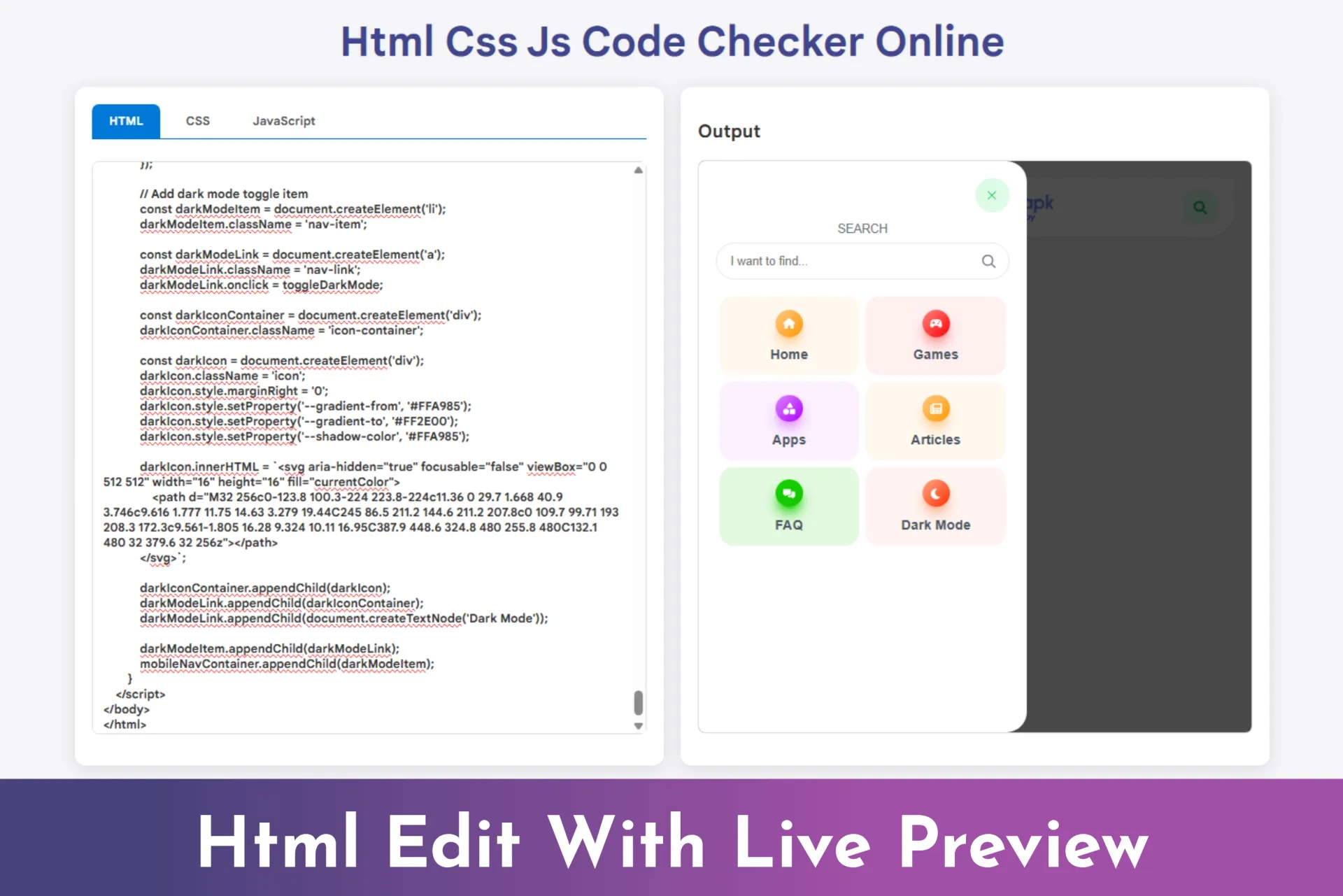
HTML CSS JS Code Live Preview
-
Live HTML CSS JS preview
-
Separate code input tabs
-
Automatic real-time rendering
-
Clean and simple UI
-
Fast and lightweight performance
-
Beginner-friendly code environment
-
Works on mobile & desktop
-
No installation required
- Lifetime Access
- 6 Months Support
- Commercial License
- Instant Download
- Regular Updates
- Well Documentation
Description
HTML CSS JS Code Live Preview – Online Code Editor Tool
Make web development easier with the HTML CSS JS Code Live Preview, a lightweight, browser-based coding tool that lets users write HTML, CSS, and JavaScript and preview the output in real time. Featuring a clean two-panel layout, dedicated code tabs, and an embedded preview window, this ready-to-use website component is ideal for developers, bloggers, educators, and coding tutorial websites.
💻 Separate HTML, CSS, and JavaScript Editors
The tool provides three dedicated editing areas for HTML, CSS, and JavaScript. Users can switch between the tabs to organize their code and edit each section independently. The built-in sample content helps beginners understand how the editor works and start experimenting immediately.
⚡ Instant Live Preview
As users type or modify their code, the preview automatically refreshes inside an embedded iframe. This makes it convenient to test layouts, styling changes, and basic JavaScript behavior without repeatedly saving files or manually refreshing another browser window.
🎨 Clean and Responsive Interface
The interface features a modern card-based layout, rounded corners, subtle shadows, and blue-accented tabs. On larger screens, the editor and output panels appear side by side. On smaller screens, the layout changes to a single column for improved usability on mobile devices.
🛠️ Easy Integration and Customization
Built with standard HTML, CSS, and JavaScript, the project is provided as a standalone HTML file. You can customize its colors, typography, spacing, editor dimensions, and default example code to match your website or educational platform.
Use this component to create coding demonstrations, support programming tutorials, or add an interactive HTML/CSS/JavaScript playground to a compatible website.
Note: This is a basic live-preview editor, not a complete IDE. Test untrusted code carefully, and review iframe security before deploying it publicly.
Key Features
- Separate HTML, CSS, and JavaScript editing tabs
- Real-time preview updates while users type
- Embedded iframe for displaying rendered output
- Responsive two-column layout that stacks on smaller screens
- Clean card-based design with blue-accented tabs
- Editable sample code to help users get started
- Standalone HTML file using standard web technologies
Installation Guide
- Download the HTML CSS JS Code Live Preview ZIP file.
- Extract the ZIP archive to access the index.html file.
- Open index.html in a code editor to review or customize the HTML, CSS, and JavaScript.
- Upload the file to your website’s hosting server if you want to use it as a standalone page.
- Open the uploaded page in a browser and test the HTML, CSS, and JavaScript tabs.
- Enter sample code into each editor and confirm that the preview updates automatically.
- Customize the title, colors, layout, editor height, and default example code to suit your website.
- If integrating the tool into WordPress, adapt the code for your theme or a suitable custom page template and ensure the JavaScript runs correctly.
- Test the layout on desktop and mobile devices before publishing it to visitors.
Related products
-
 View Details
৳ 415৳ 137 -
 View Details
৳ 415৳ 137 -
 View Details
৳ 415৳ 137 -
 View Details
৳ 692৳ 207
Reviews
There are no reviews yet.