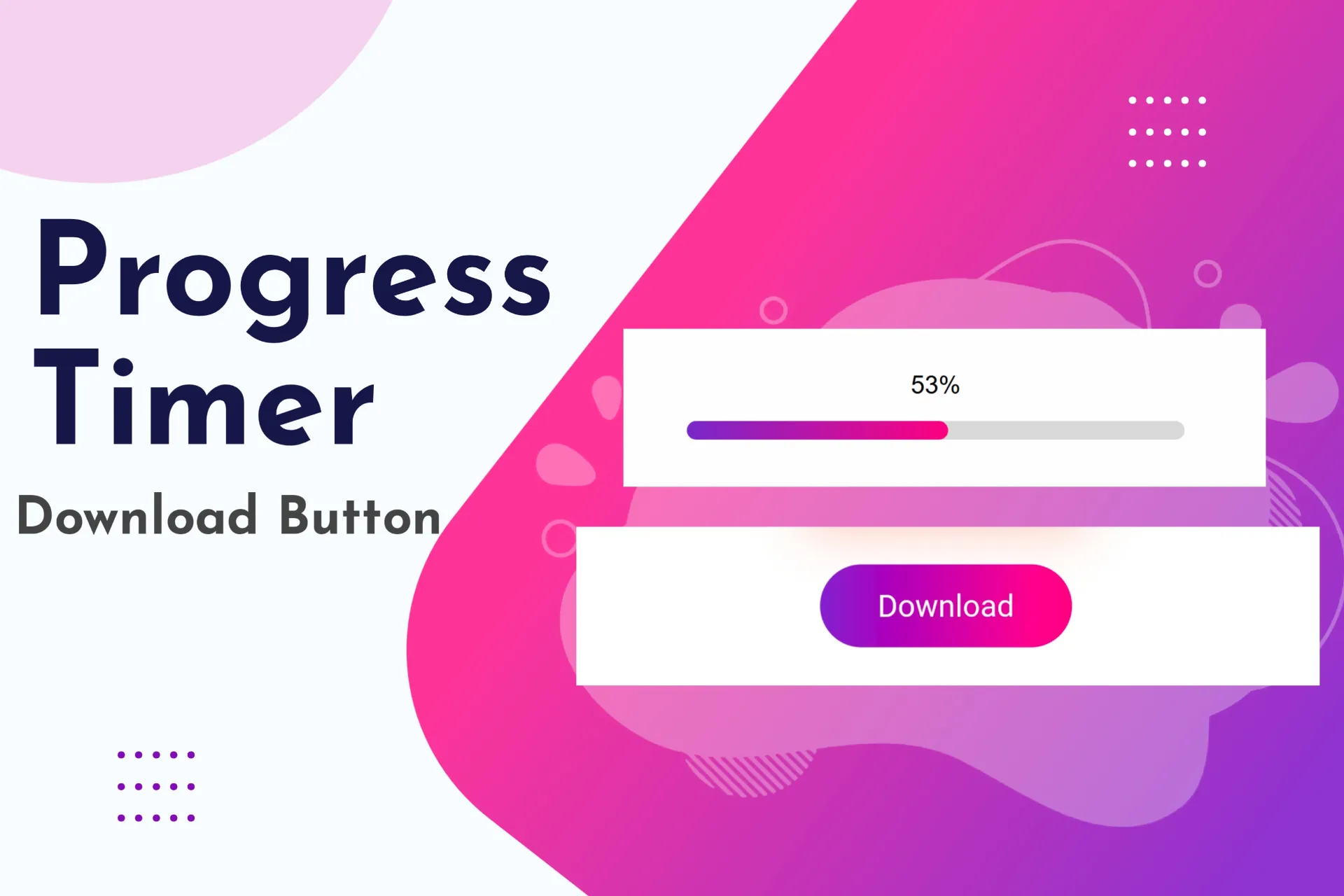
Animated Gradient Progress Bar
-
100% pure HTML, CSS, and JavaScript (no libraries or frameworks)
-
Gradient-based progress bar with smooth linear animation
-
Automatic percentage increment up to 100%
-
“Completed!” text animation using a blink effect
-
Auto-hide loading section and reveal download button
-
Responsive and mobile-friendly layout
-
Fully customizable timing, colors, and dimensions
-
Lightweight and fast-loading design
- Lifetime Access
- 6 Months Support
- Commercial License
- Instant Download
- Regular Updates
- Well Documentation
Description
Animated Gradient Progress Bar – Modern Download Progress Component
Enhance your website’s download page with the Animated Gradient Progress Bar, a lightweight and customizable HTML, CSS, and JavaScript component designed to create an attractive loading experience before revealing a download button. Its colorful gradient progress indicator, animated percentage counter, and completion message provide a polished interface for digital product stores, resource websites, and file-sharing platforms.
🎨 Vibrant Gradient Progress Design
The component features a smooth progress bar with a striking purple-to-pink gradient against a light gray background. A percentage counter displays the loading progress, while the Oswald font gives the interface a bold, modern appearance. Rounded corners and a clean layout help the progress indicator stand out without requiring a complicated design.
⏳ Automatic Progress Animation
When the page loads, the progress animation starts automatically. The percentage counter increases toward 100% while the colored bar fills from left to right. Once the animation completes, a blinking completion message appears briefly before the progress section disappears and the download button becomes visible.
🔗 Stylish Download Button
The component includes a rounded gradient download button that appears after the progress animation finishes. Its purple-to-pink background complements the progress bar, creating a consistent visual style. You can replace the sample destination URL with a link to your own downloadable files or resources.
💻 Easy Customization and Integration
Built with standard HTML, CSS, and JavaScript, this component can be integrated into a compatible website page or template. Adjust the animation duration, gradient colors, progress-bar width, typography, and download link to match your website branding. The timer duration is controlled by a single JavaScript setting, making basic adjustments straightforward.
This component is suitable for download pages offering WordPress themes, templates, PHP scripts, presets, documents, and other digital resources.
Important: The progress bar is a visual animation, not a real file transfer indicator or secure download restriction. Replace the sample URL before publishing.
Key Features
- Animated progress bar with a purple-to-pink gradient
- Live percentage counter from 0% to 100%
- Automatic animation when the page loads
- Blinking completion message after the progress finishes
- Download button revealed after the animation completes
- Customizable timer duration, colors, typography, and destination URL
- Lightweight HTML, CSS, and JavaScript implementation
Installation Guide
- Download the Animated Gradient Progress Bar code file.
- Back up your website or theme before making changes.
- Open the code file in a code editor and locate the CSS, HTML, and JavaScript sections.
- Add the CSS code inside the head section of your page or move it into your theme’s stylesheet.
- Insert the HTML progress-bar component into the download page where you want the animation and button to appear.
- Add the JavaScript code before the closing body tag, ensuring the component’s HTML elements are available when the script runs.
- Replace the sample download URL with your actual destination link.
- Adjust the TIME setting in the JavaScript to change the animation duration, and customize the colors and styling as needed.
- Save your changes and test the progress animation, completion message, and download button on desktop and mobile devices.
Related products
-
 View Details
$1.13$0.56 -
 View Details
$1.13$0.56 -
 View Details
$1.13$0.56 -
 View Details
$1.13$0.56

Reviews
There are no reviews yet.