
Simple YouTube Thumbnail Downloader
-
Simple and fast thumbnail extraction
-
Paste link → get HD & max-res images instantly
-
Clean minimal UI with easy navigation
-
One-click download for all sizes
-
Lightweight and super-fast loading
-
Fully responsive on all devices
-
No ads, pop-ups, or extra steps
-
Built with optimized PHP and JS
-
Works smoothly on cPanel & shared hosting
-
Ideal for quick use, small tools & personal projects
- Lifetime Access
- 6 Months Support
- Commercial License
- Instant Download
- Regular Updates
- Well Documentation
Description
Simple YouTube Thumbnail Downloader – Modern HTML Tool
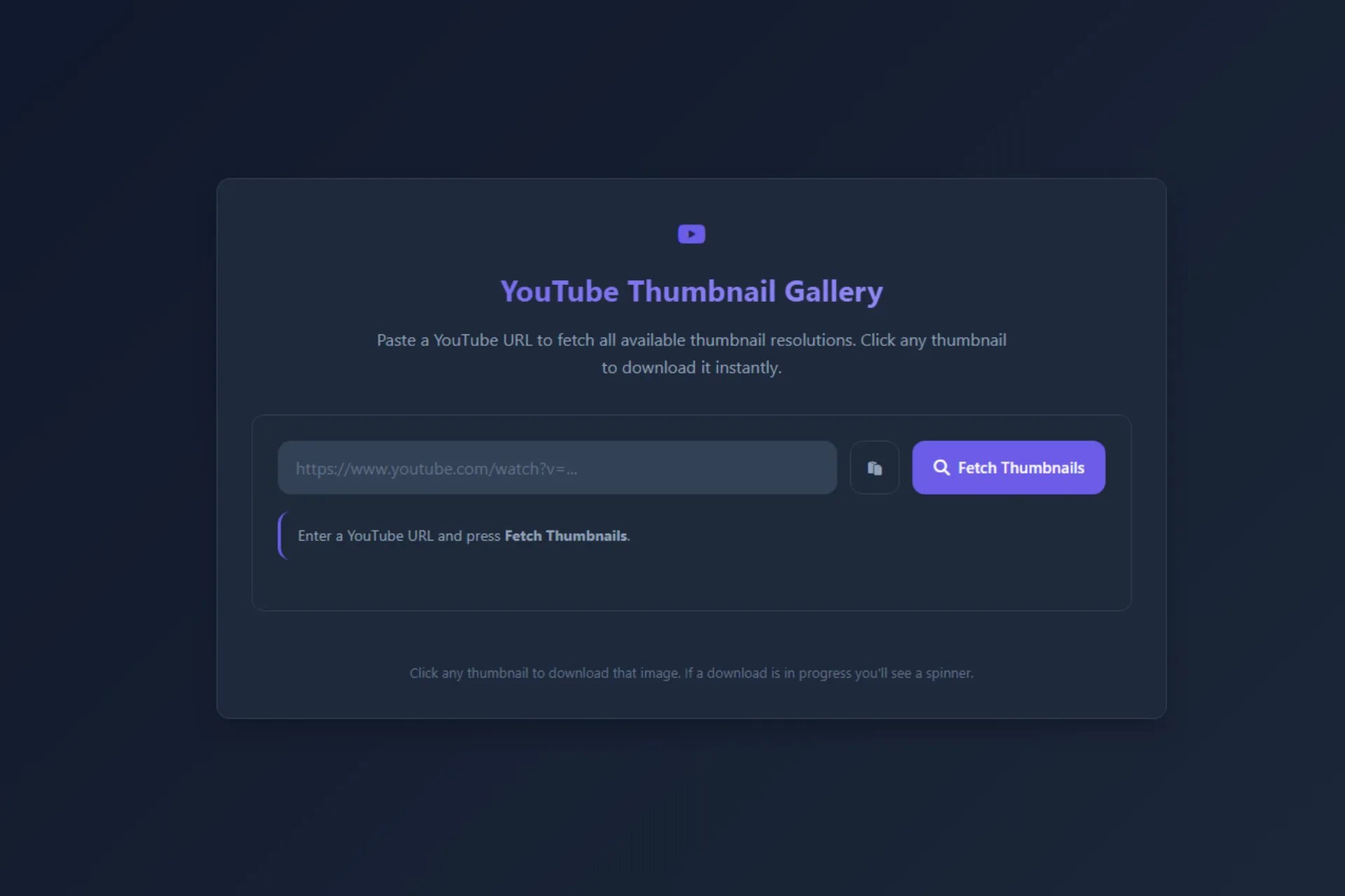
Download YouTube video thumbnails with ease using the Simple YouTube Thumbnail Downloader, a lightweight, browser-based utility built with HTML, CSS, and JavaScript. Designed for content creators, YouTubers, bloggers, and designers, this tool provides a convenient way to preview and download thumbnail images from supported YouTube video URLs without building a downloader interface from scratch.
🎬 Quick Thumbnail Preview
Users can paste or type a YouTube video URL into the input field. The script recognizes supported standard video links, shortened youtu.be URLs, and YouTube Shorts URLs, then extracts the video ID and loads the corresponding thumbnail preview. An automatic preview makes it easy to check the image before downloading.
🖼️ Multiple Thumbnail Quality Options
The tool offers three thumbnail quality selections: Max Resolution, High Quality, and Standard. Users can switch between available options and see the preview update accordingly. If the maximum-resolution thumbnail is unavailable, the script attempts to fall back to the high-quality version.
⚡ Simple Download Experience
Once a thumbnail loads, the Download Thumbnail button becomes active. The script fetches the image, initiates a JPG download, and displays success feedback. Clipboard paste support, clear visual controls, and notification messages make the workflow straightforward.
🎨 Modern Responsive Interface
The design features an animated gradient background, a centered white card, purple gradient buttons, rounded corners, and responsive styling for smaller screens. The package includes a standalone index.html file and a preview image, making it easy to test and customize.
This tool is a practical starting point for creating a thumbnail utility page or adding a useful resource to your website.
Note: Thumbnail availability and downloading depend on YouTube’s image resources and browser restrictions. Use thumbnails in accordance with applicable copyright and platform rules.
Key Features
- Supports standard YouTube, shortened youtu.be, and Shorts URLs
- Automatically extracts the video ID and previews the thumbnail
- Three quality options: Max Resolution, High Quality, and Standard
- Automatic fallback to high-quality thumbnails when maximum resolution is unavailable
- Download button with JPG filename and success notification
- Clipboard paste control for convenient URL entry
- Responsive interface with animated gradient background and modern styling
Installation Guide
- Download the Simple YouTube Thumbnail Downloader ZIP file.
- Extract the archive to access index.html and Preview.png.
- Open index.html in a modern browser to test the tool locally.
- Open index.html in a code editor to customize the title, colors, button text, and styling.
- Upload index.html to your web hosting directory if you want to publish it as a standalone webpage.
- Keep the HTML file accessible from its intended URL and ensure the browser can load YouTube thumbnail images.
- Test a standard YouTube video URL, a shortened youtu.be URL, and a Shorts URL.
- Switch between Max Resolution, High Quality, and Standard to test thumbnail previews.
- Check the Download Thumbnail button and confirm the JPG download works in your target browsers.
- Test the layout on desktop and mobile devices before publishing.
Related products
-
 View Details
₹299.00₹99.00 -
 View Details
₹599.00₹299.00 -
 View Details
₹399.00₹149.00 -
 View Details
₹299.00₹99.00
Reviews
There are no reviews yet.