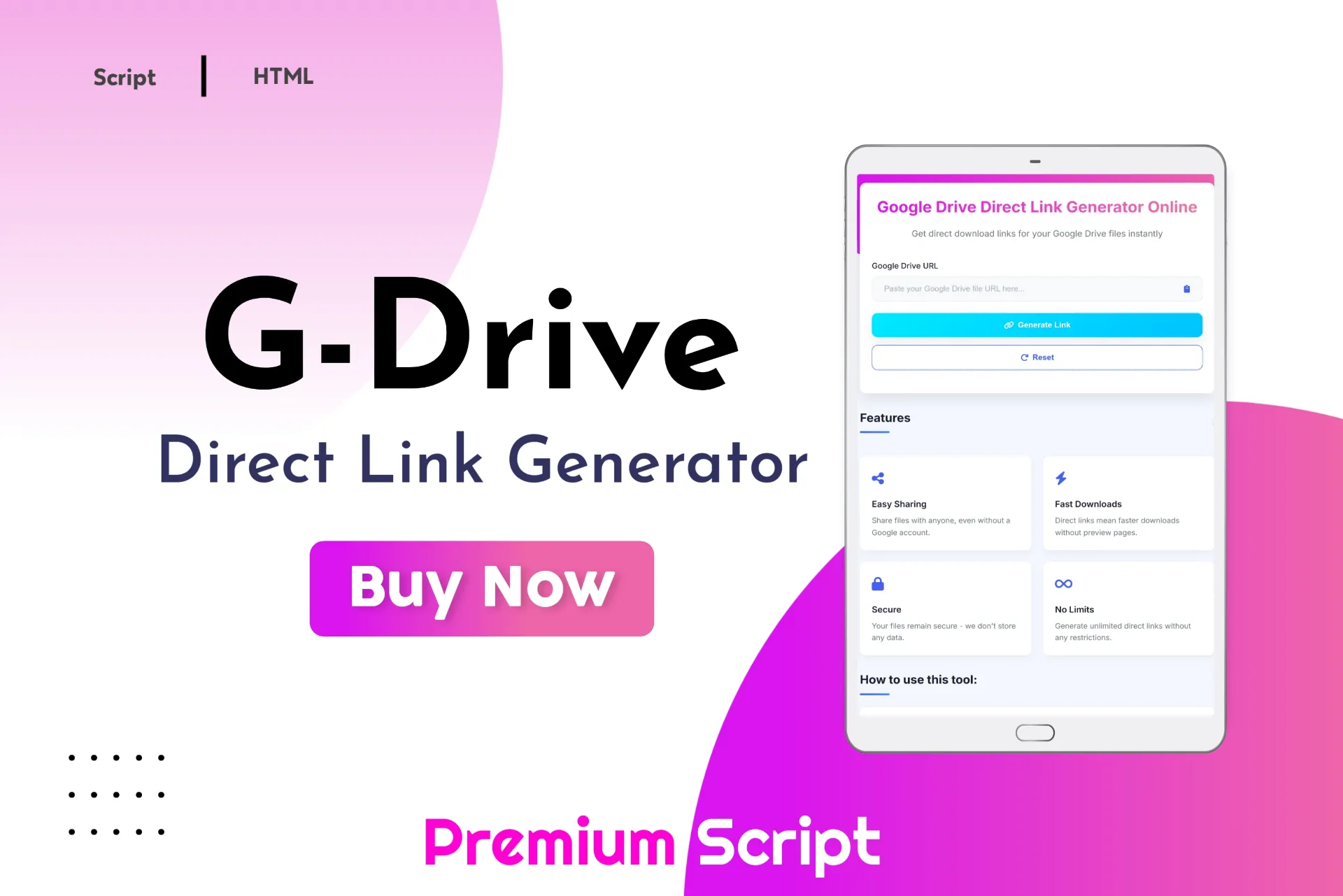
Google Drive Direct Link Generator
-
One-click direct link generator
-
Clipboard paste support built-in
-
Works with all file types
-
No login or signup required
-
Secure processing with no storage
-
Unlimited link creation free
-
Clean and modern UI design
-
Fast conversion without delays
- Lifetime Access
- 6 Months Support
- Commercial License
- Instant Download
- Regular Updates
- Well Documentation
Description
Google Drive Direct Link Generator – Modern Web Tool
Simplify file sharing with the Google Drive Direct Link Generator, a ready-to-use website script that converts supported Google Drive file-sharing URLs into direct download links. Featuring a clean interface, clipboard controls, input validation, and a dedicated results section, this tool is ideal for developers, bloggers, educators, and website owners who want to offer a convenient file-sharing experience.
🔗 Generate Direct Download Links
Users can paste a Google Drive file URL into the input field and click Generate Link to create a direct-download URL. The script extracts the file ID from supported URL formats and constructs a download link using Google Drive’s download endpoint. Folder links are detected and rejected with a helpful warning.
⚡ Convenient Clipboard Tools
The interface includes a clipboard paste control, a Reset button, and a Copy Link button. Visitors can quickly enter a URL, generate the result, copy it for sharing, or clear the form to start again. Toast notifications provide feedback for actions and common errors.
🎨 Modern and Responsive Design
The tool features an animated gradient background, a clean card layout, rounded input fields, and colorful buttons. Its feature cards and usage instructions help visitors understand how the tool works. Responsive CSS adapts the layout for smaller screens, making the interface suitable for desktop and mobile browsers.
💻 Complete Website Package
The ZIP file includes the main HTML page, CSS stylesheet, JavaScript functionality, and supporting About, Contact, Privacy Policy, and Terms of Service pages. You can customize the branding, colors, text, and layout to suit your website or project.
Important: The generated link does not override Google Drive permissions. Files must be accessible to the intended users, and download behavior may depend on Google Drive settings and limits. The package provides a front-end tool, not a hosted file-storage service.
Key Features
- Generate direct-download URLs from supported Google Drive file links
- Extract file IDs from common Google Drive URL formats
- Detect folder links and display a warning
- Clipboard paste and Copy Link controls
- Reset button and toast notifications for user feedback
- Modern animated gradient design with responsive styling
- Includes HTML, CSS, JavaScript, and supporting website pages
Installation Guide
- Download the Google Drive Direct Link Generator ZIP file.
- Extract the archive to access index.html, style.css, script.js, and the supporting pages.
- Upload the extracted files to your web hosting directory while preserving the folder structure.
- Open index.html in a browser to test the generator before publishing it.
- Customize the page title, branding, colors, and text in the HTML and CSS files.
- Review script.js to understand the URL parsing, link generation, clipboard, and validation behavior.
- Check that the supporting page links point to the correct locations on your website.
- Test valid file URLs, folder URLs, invalid URLs, clipboard controls, and the Reset button.
- Confirm that the Google Drive files you intend to share have the appropriate access permissions.
- Test the layout on desktop and mobile devices before making the tool available to visitors.
Related products
-
 View Details
₹299.00₹99.00 -
 View Details
₹299.00₹99.00 -
 View Details
₹299.00₹99.00 -
 View Details
₹399.00₹149.00

Reviews
There are no reviews yet.