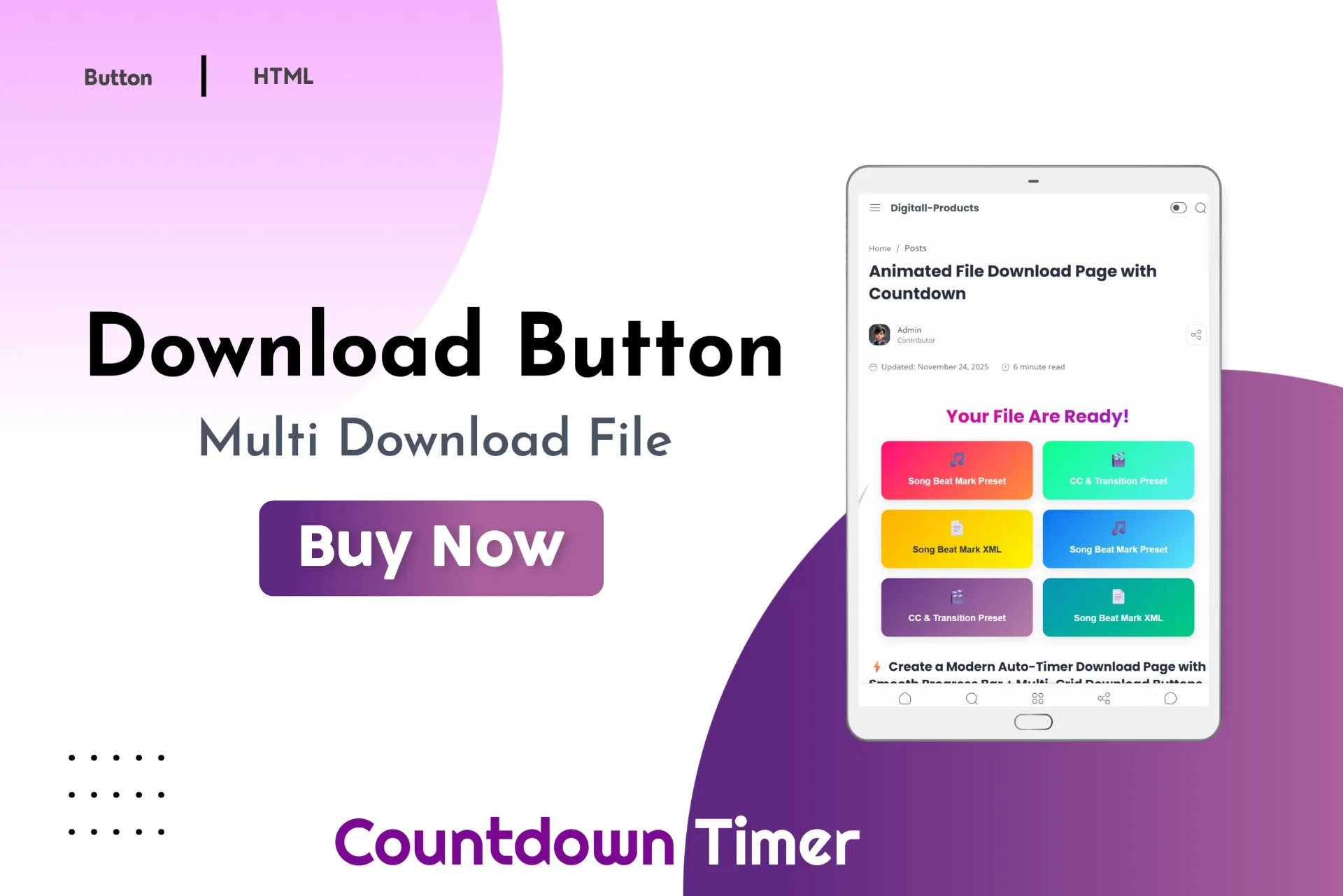
Animated File Download Page with Countdown
-
100% responsive HTML + CSS + JavaScript design
-
Animated circular loader with countdown timer
-
Auto transition to download section after countdown ends
-
Supports multiple file download buttons
-
Clean grid layout with gradient button backgrounds
-
Lightweight and easy to customize
-
Compatible with all modern browsers and devices
-
Ideal for presets, templates, digital bundles, or media files
- Lifetime Access
- 6 Months Support
- Commercial License
- Instant Download
- Regular Updates
- Well Documentation
Description
Animated File Download Page with Countdown
Create a professional download experience with the Animated File Download Page with Countdown, a ready-to-customize HTML, CSS, and JavaScript component designed for digital product websites, resource-sharing platforms, and download pages. Its colorful buttons, animated loading spinner, and timed link reveal help present download options in a clean, organized, and engaging interface.
🎨 Modern and Colorful Download Buttons
The component features six gradient download buttons with distinct colors, icons, rounded corners, and smooth hover effects. Each button includes a customizable label and destination URL, making it suitable for software, presets, templates, audio files, project resources, and other digital downloads.
⏱️ Animated Countdown Experience
When the page loads, visitors see a loading spinner and a 30-second countdown message. Once the timer finishes, the loading panel disappears and the download options become visible. This creates a structured waiting experience before visitors access the available links.
📱 Responsive Layout
The download buttons use a flexible grid that adapts to different screen sizes. The layout displays multiple columns on larger screens, adjusts to two columns on tablets, and switches to a single-column layout on smaller mobile devices.
💻 Easy Customization and Integration
Built with standard HTML, CSS, and JavaScript, this component can be integrated into a compatible website template without requiring a dedicated download-page plugin. You can customize button colors, icons, labels, spacing, countdown duration, and destination links to match your website branding.
Whether you sell digital products or provide downloadable resources, this component offers a practical starting point for building an attractive download page.
Note: The countdown is a front-end timer, not a real download verification or tracking system. The supplied buttons use sample URLs, so replace them with your actual download links before publishing.
Key Features
- Six colorful gradient download buttons with customizable labels
- Animated loading spinner and 30-second countdown
- Automatic display of download links after the timer finishes
- Responsive grid layout for desktop, tablet, and mobile
- Smooth hover effects with subtle button animations
- Customizable icons, colors, spacing, and destination URLs
- HTML, CSS, and JavaScript implementation
Installation Guide
- Download the Animated File Download Page with Countdown code file.
- Back up your website or theme before making changes.
- Open the file in a code editor and locate the CSS, HTML, and JavaScript sections.
- Add the CSS code to your theme stylesheet or the recommended location in the file.
- Insert the HTML download-page markup into the page or template where you want the download interface to appear.
- Add the JavaScript code near the closing body tag, ensuring the required HTML elements are available before execution.
- Replace the sample URLs and button labels with your actual download links and content.
- Adjust the countdown duration or styling if needed, then save and test the page on desktop and mobile devices.
Related products
-
 View Details
₹99.00₹49.00 -
 View Details
₹99.00₹49.00 -
 View Details
₹99.00₹49.00 -
 View Details
₹99.00₹49.00

Reviews
There are no reviews yet.